App Store
5.0
SkinItAll
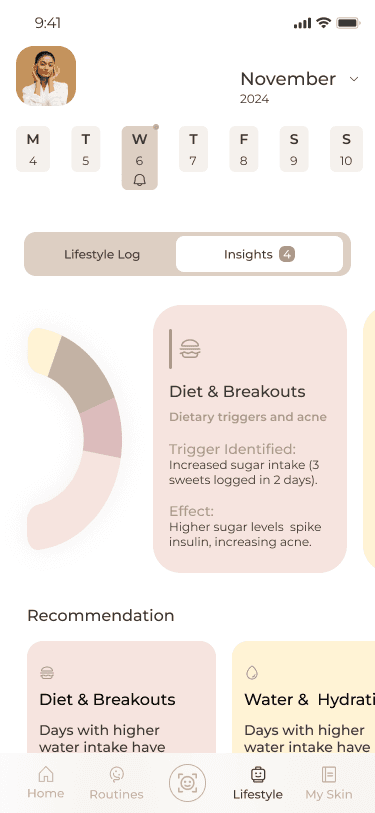
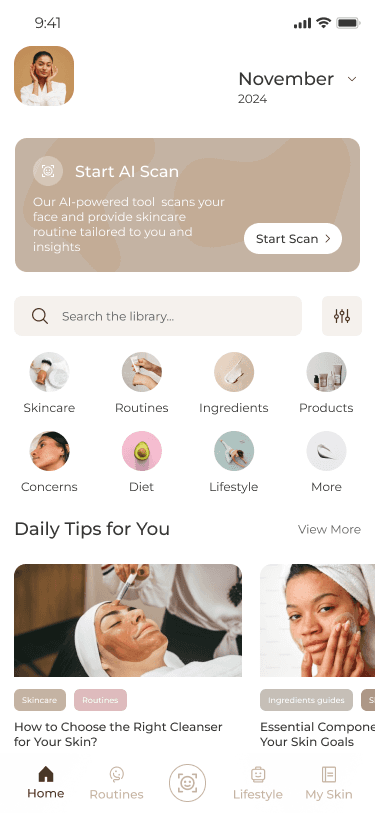
AI-driven app that provides personalized skincare by syncing routines with lifestyle factors like sleep and stress for holistic skin health management
Duration
12 weeks
Project Type
UI/UX Mobile Digital Design
Client
School Porject
Teammates
Jiyoung Lee
Problem Statement
“As a skincare and health-conscious person, I need a solution that links my skincare with factors like diet and stress so that I can better understand and manage what triggers my skin issues and make informed decisions to achieve visible improvements in my skin health.”
Our Process

Emphasize & Define
User Interviews
User Surveys
Affinity Mapping

Ideation
Brainstoming
Competitive Analysis
Sketches

Prototype
Key Solutions
User Flows
Mid-fi Prototype

Usability Test
Testing & Iterations
Visual Decisions
Final Deliverables
01 Emphasize & Define
We conducted the surveys and got 65 responses, here's what we found:
56%
Face challenge finding the right product
46%
Hard to understand ingredients
79%
Lifestyle matters for skin health
86%
Rely on the strict routines to manage skin health
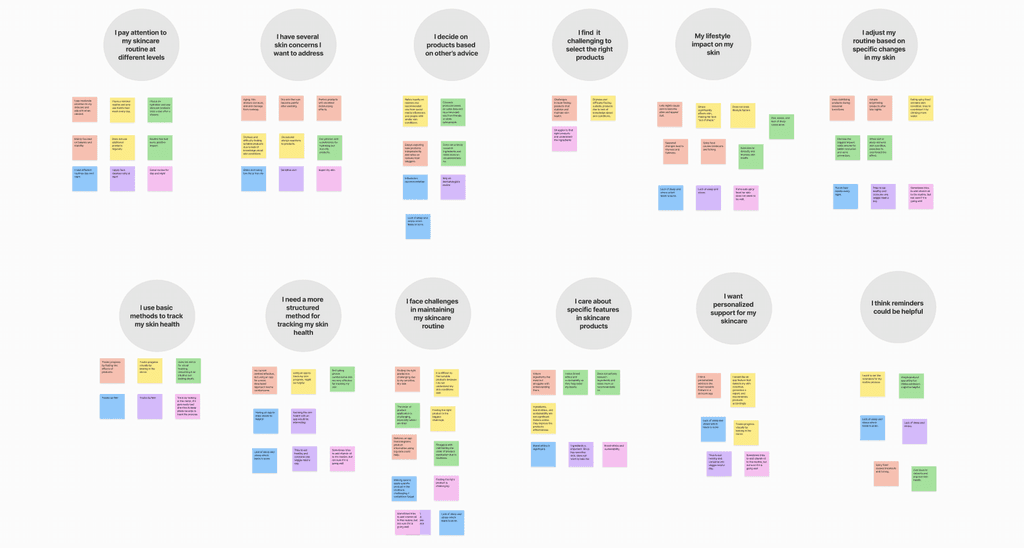
We interviewed 8 individuals
To synthesize our findings, we created an affinity map, grouping common themes and patterns. This helped us identify recurring concerns, motivations, and behaviors, providing a clear understanding of user needs. The insights gathered from this process informed our approach to designing a more personalized and effective skincare solution.
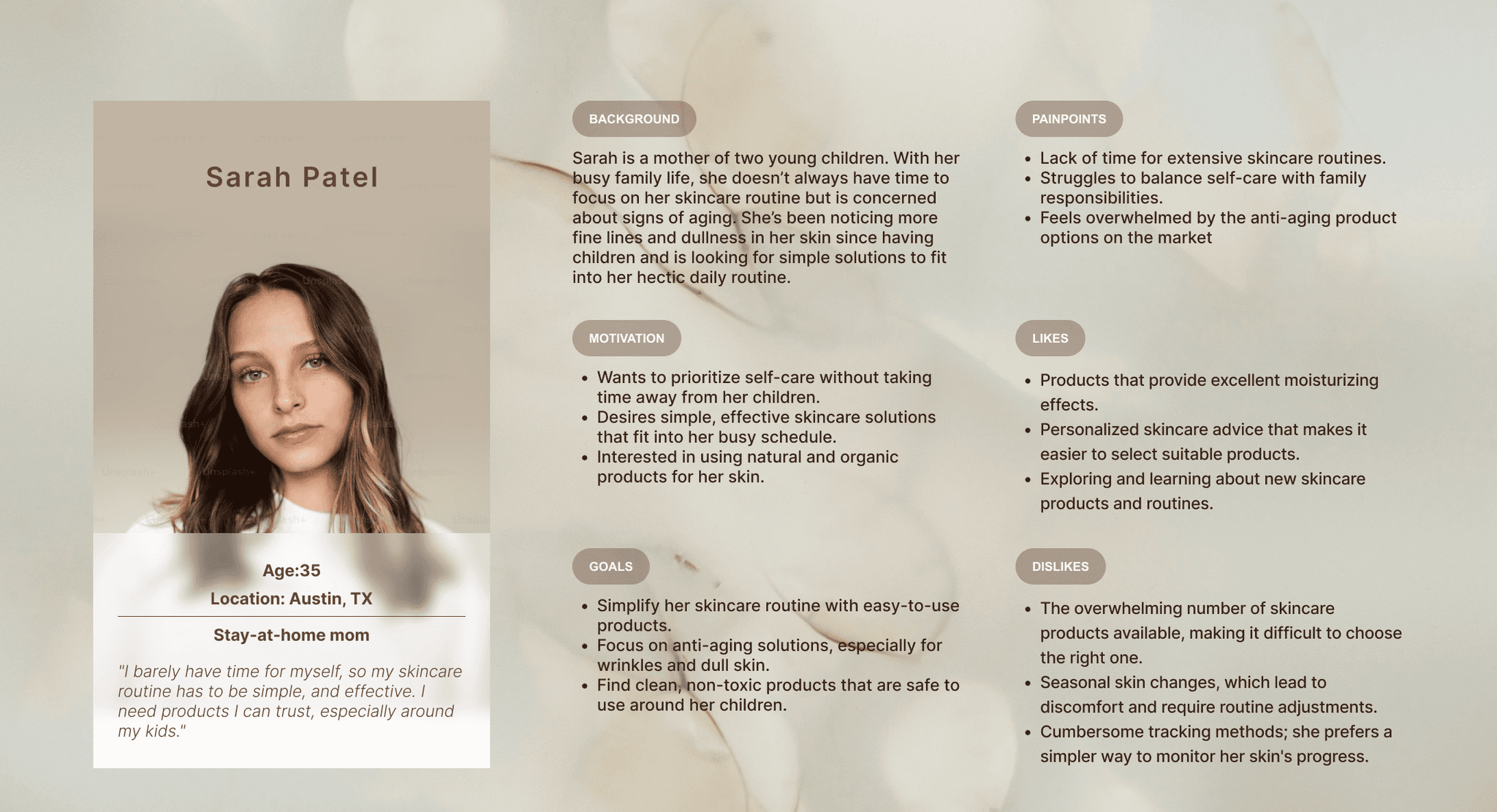
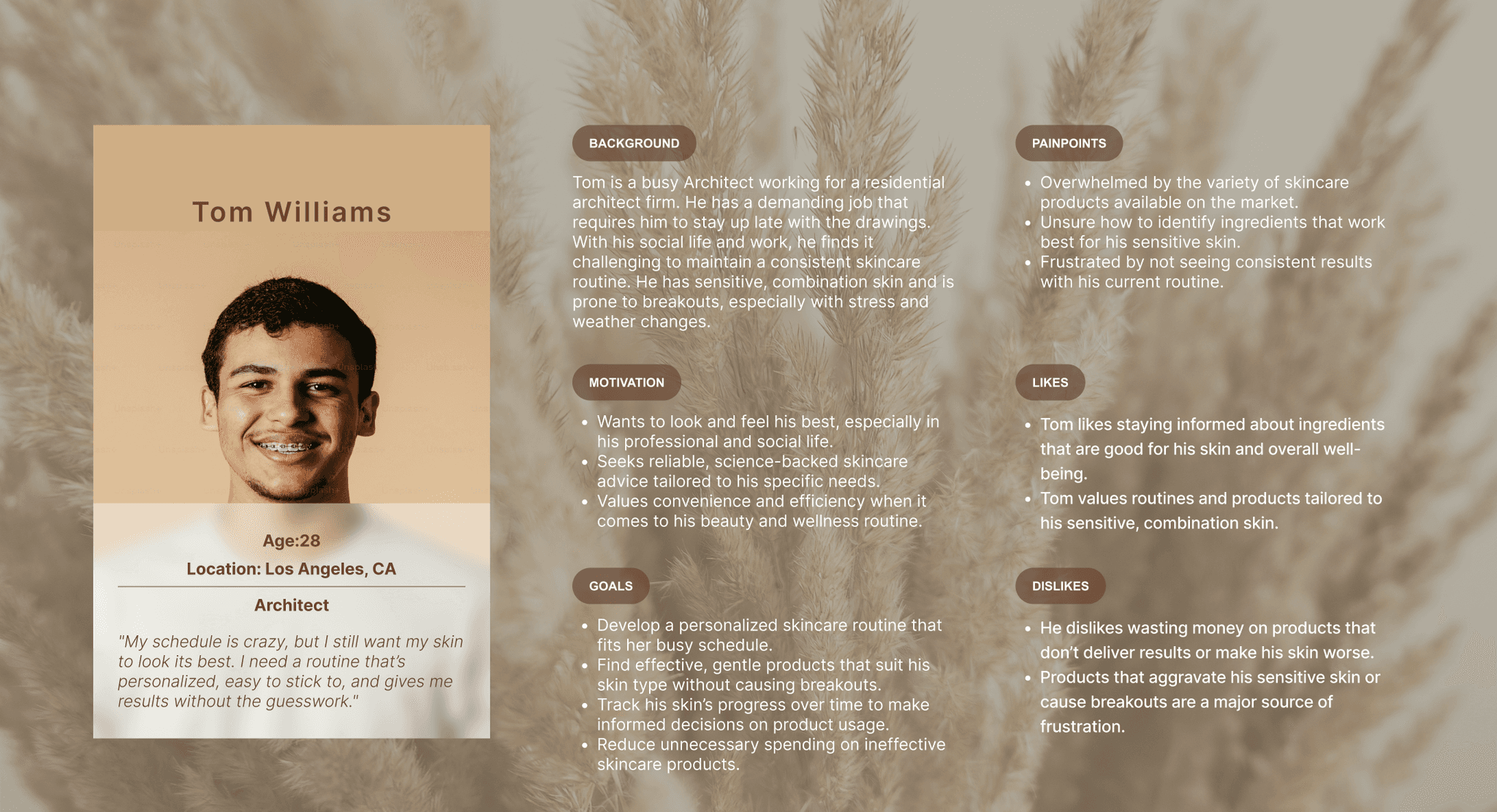
1
Time Constriants
Users need a quick skincare routine due to their busy schedule
2
Identify Skin Triggers
Users can make informed choices that imptove their skin health to achieve better outcomes
3
Demanding Schdule
Users need a straightforward skincare routine that fits into his hectic lifestyle
4
Personalization
Uses r value tailored advice that takes the guesswork out of choosing the right products
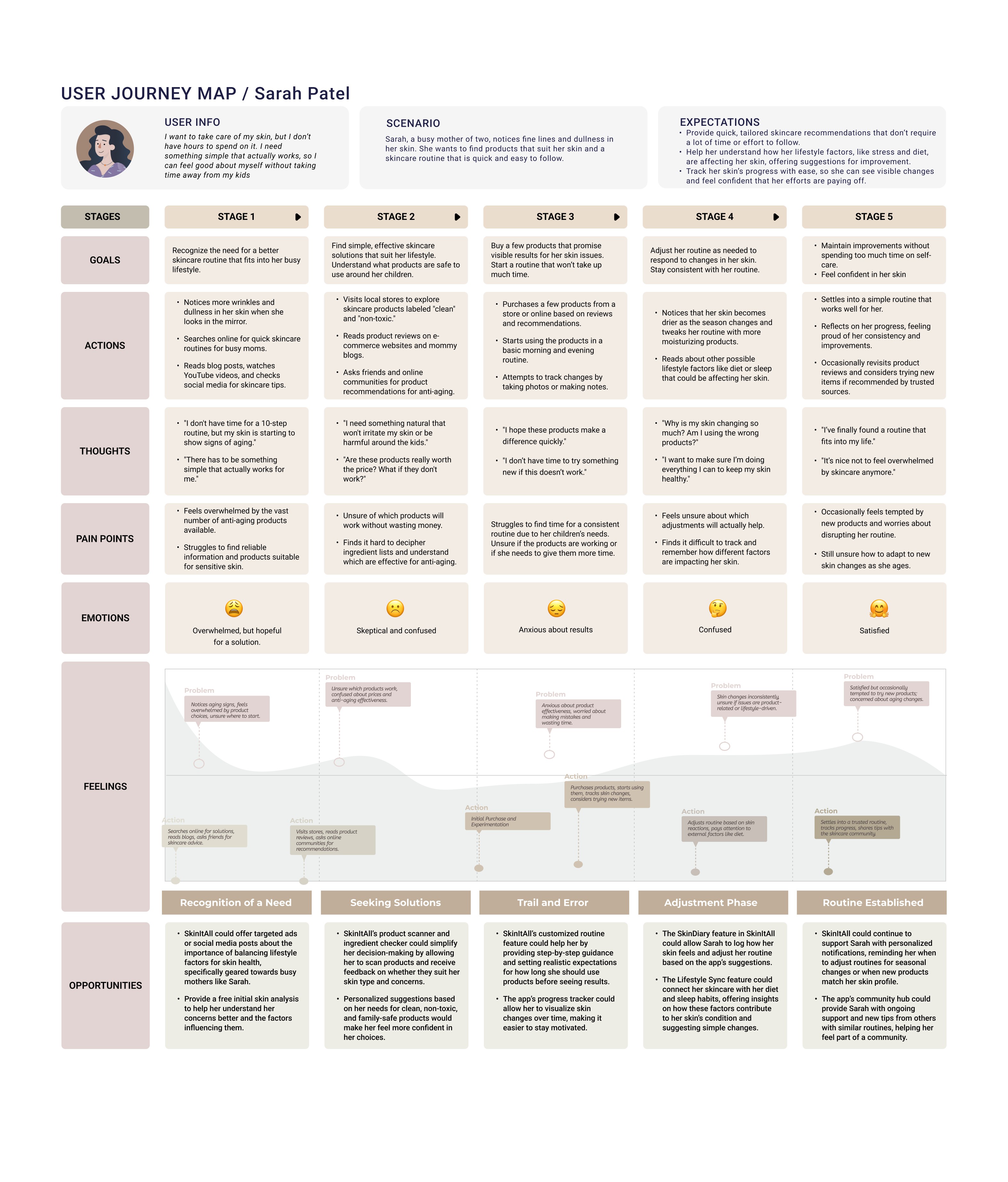
User Journey Map
We built a user journey map to track the stages from recognizing a skincare need to establishing a routine.
By mapping this process, we identified key pain points and opportunities to provide clear guidance, personalized recommendations, and educational support to make the skincare journey smoother and more effective.
02 Ideation
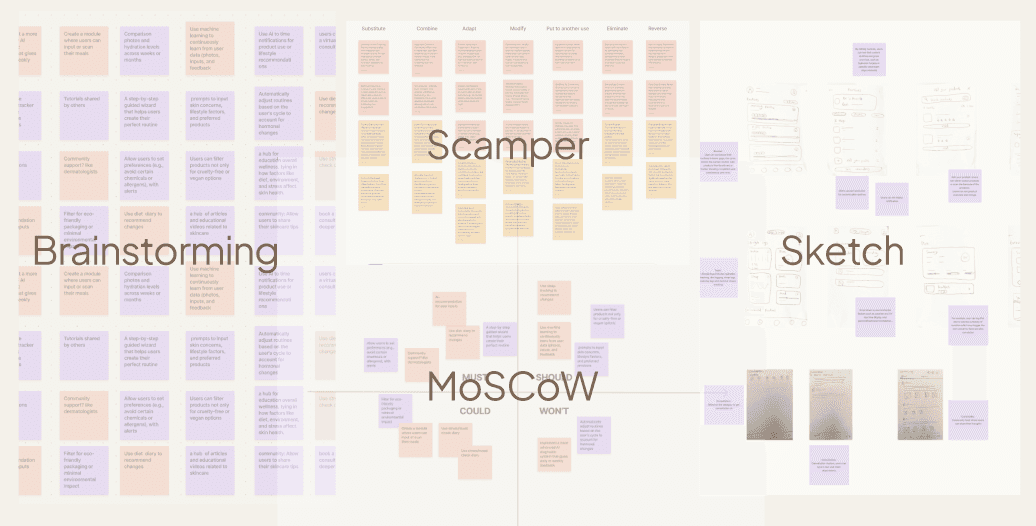
Our ideation process included brainstorming; competitive analysis; and sketching
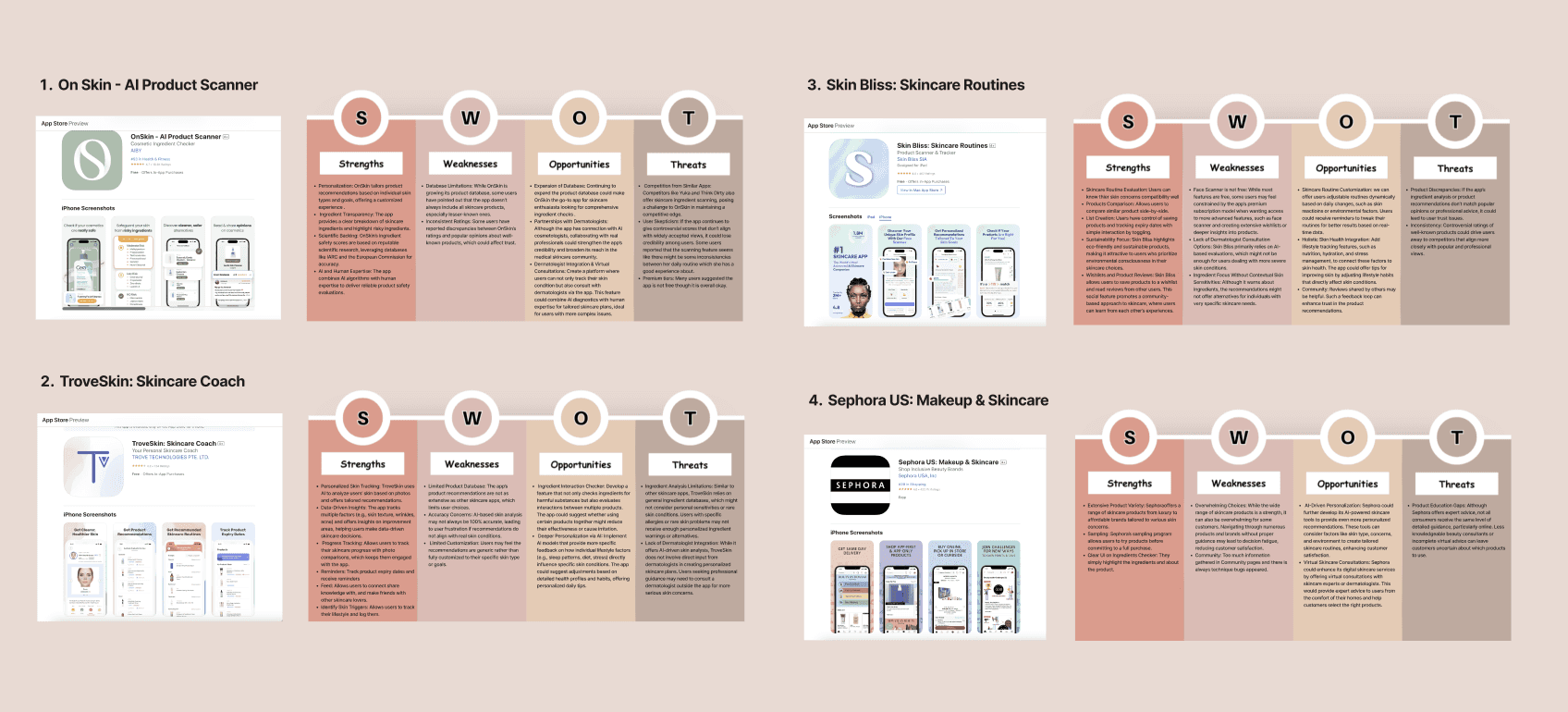
Competitive Analysis
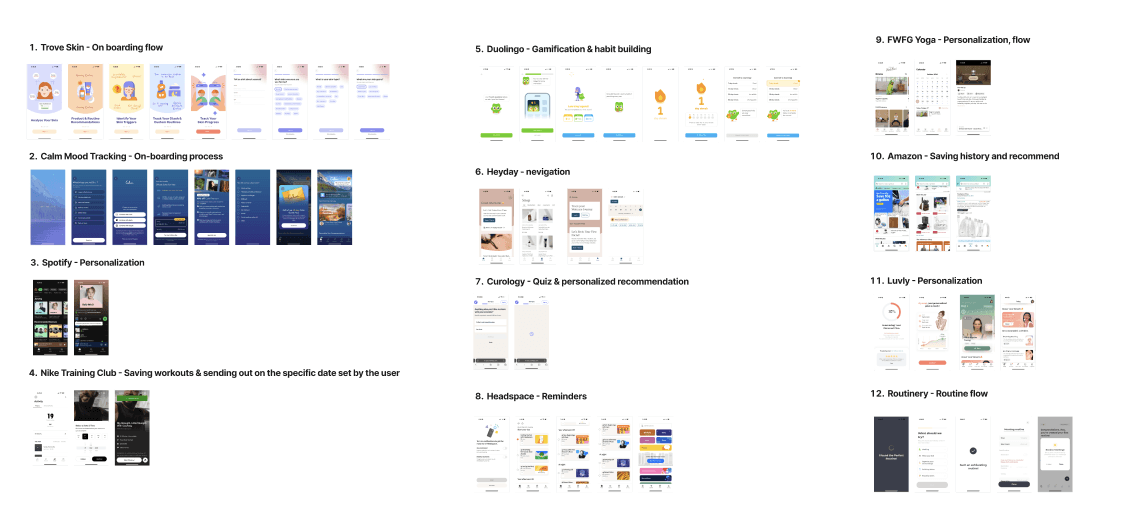
We conducted a competitive analysis of 4 skincare apps using the SWOT method to assess strengths, weaknesses, opportunities, and threats. Additionally, we performed lightning demos of 12 products to gather design inspiration and identify innovative features for an improved user experience.
1
Routine Tracking and Reminders
Including reminders for skincare routines can help "SkinItAll" users stay on track.
2
AI-Powered Recommendations
Integrating AI into "SkinItAll" can elevate the app's credibility and usability.
3
Unbiased Product Recommendations
"SkinItAll" can build trust by offering neutral, data-driven recommendations based on user needs, especially for sensitive skin.
4
Consolidation of Features
"SkinItAll" can stand out by combining personalized advice, product recommendations, and routine tracking in one comprehensive app.

AI Skin Analysis
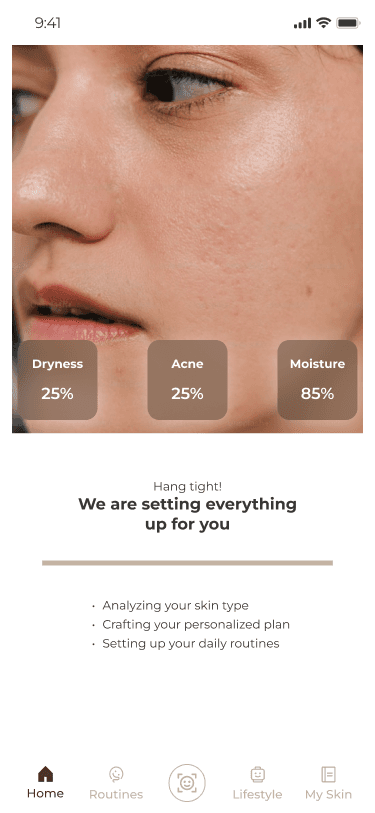
Upload selfies for real-time AI skin analysis to identify their skin

Customization
Generate a personalized skincare routine based on the AI analysis and users’ specific concerns.

Lifestyle Sync
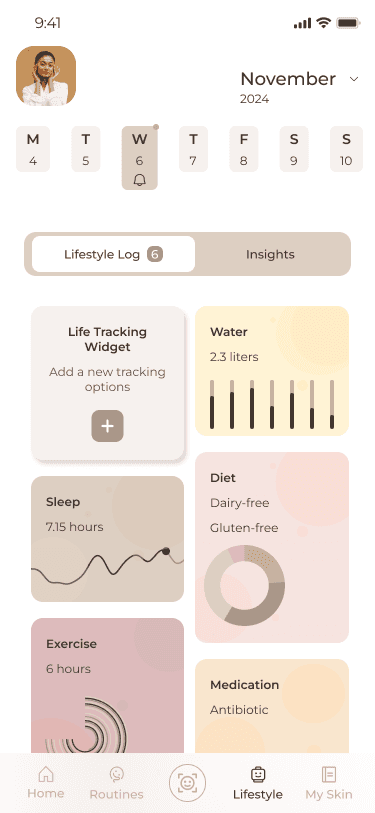
Feature that syncs users' skincare routines with their lifestyle - sleep, diet, stress, nutrition

Skin Diary
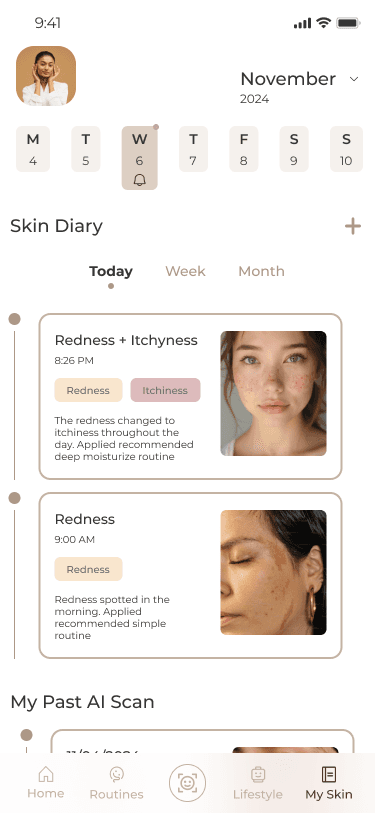
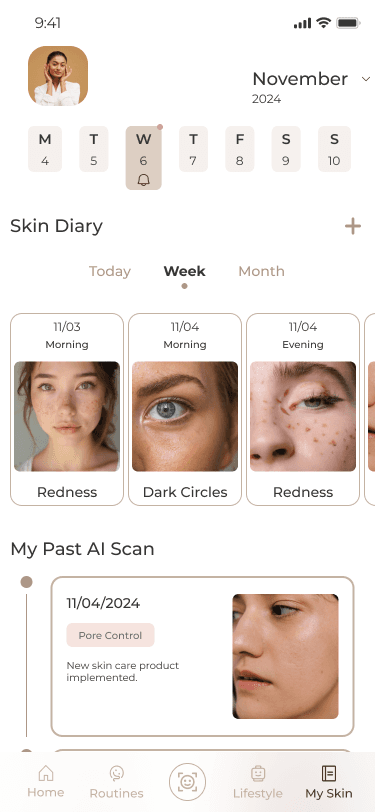
Allow users to log how their skin feels post-product use, record irritations, and monitor how lifestyle factors impact their skin.
03 Prototype
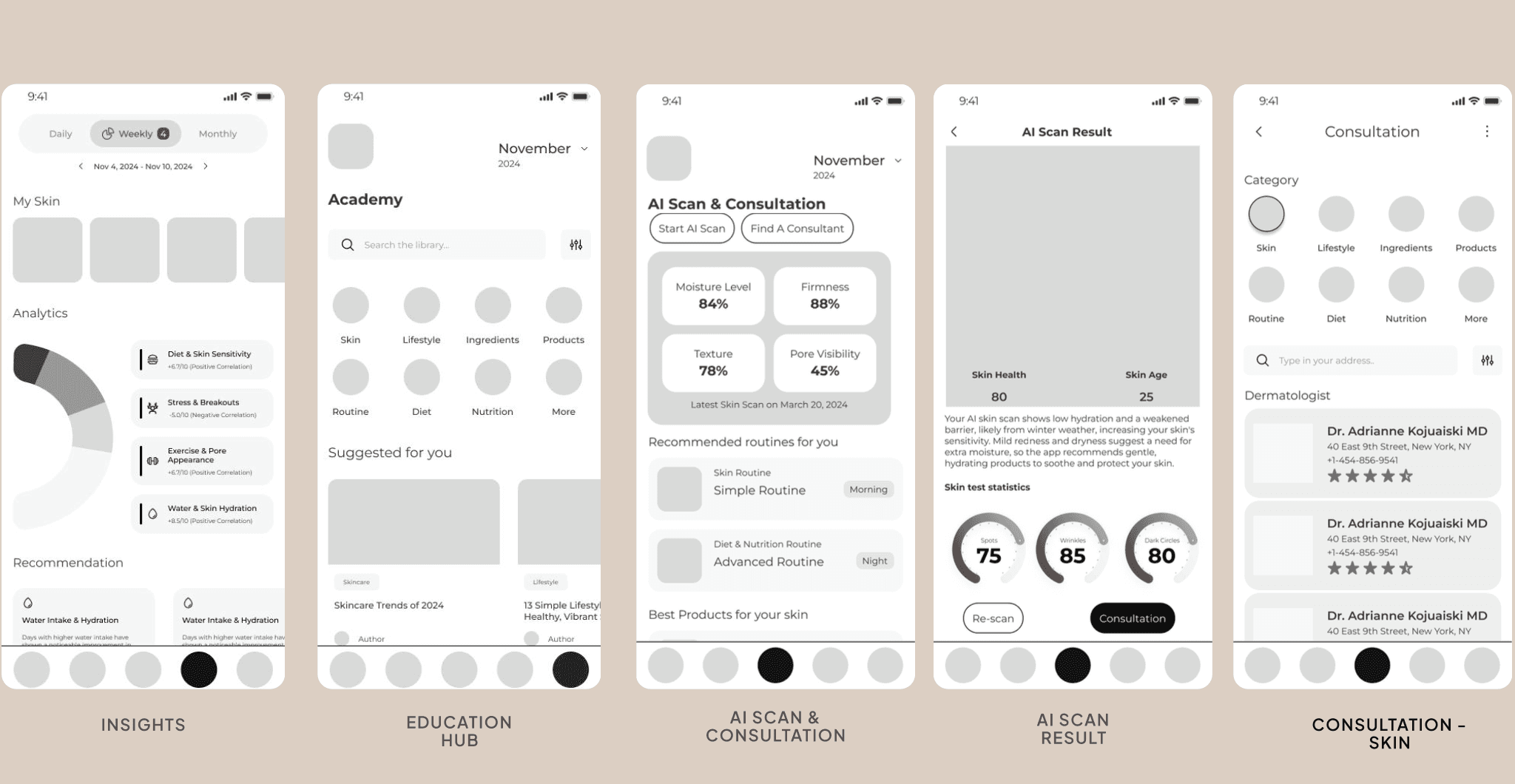
Key Solutions, User Flow and Mid-fi Prototype
Flow 1
AI Scan & Add Recommended Product to the Routine
1. AI Scan
2. Results Display
3. Add products to Routine
4. Routine Updates

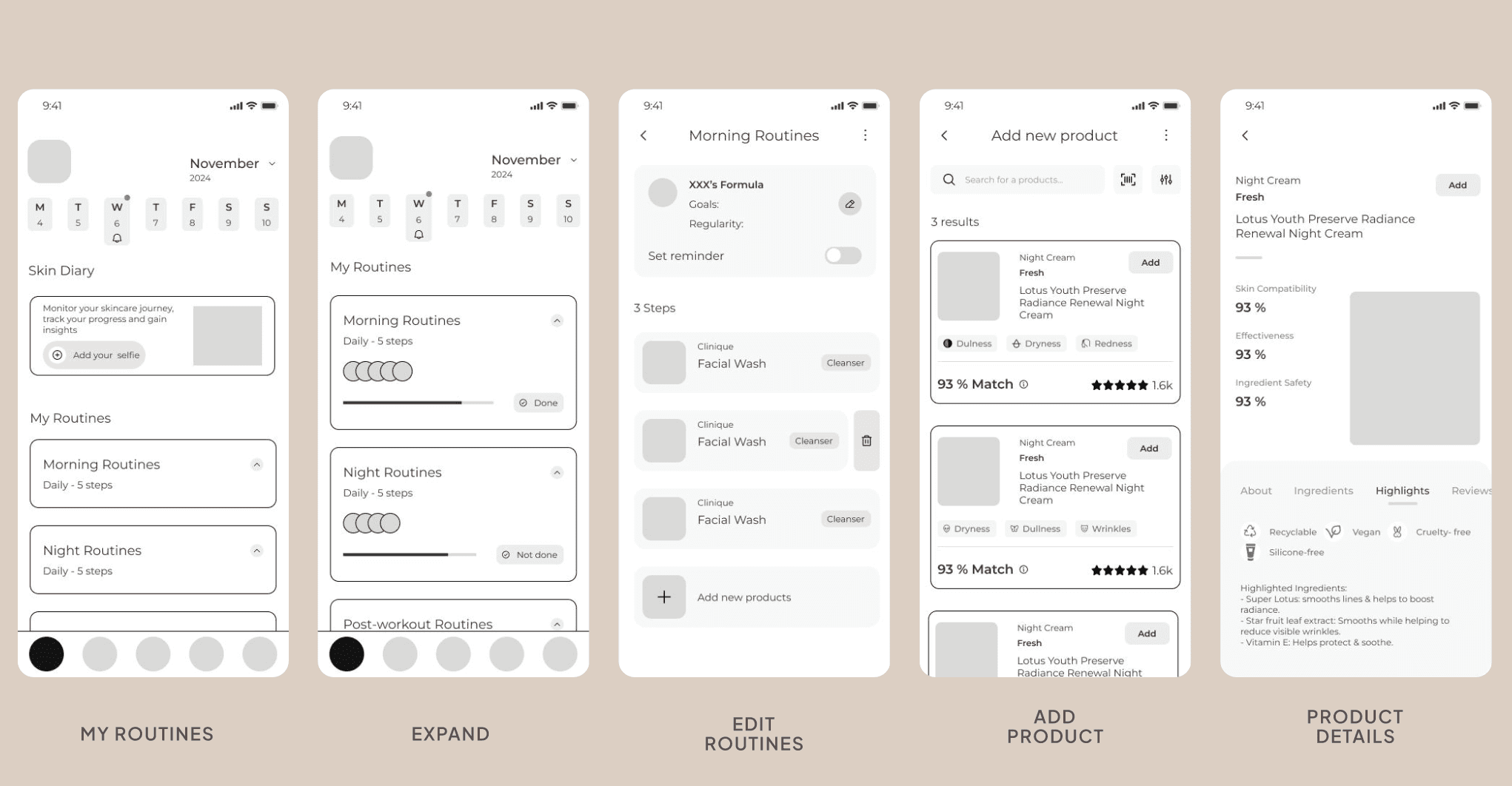
Flow 2
Add Your Own Product to AI-Generated Routine
1. Routine Overview
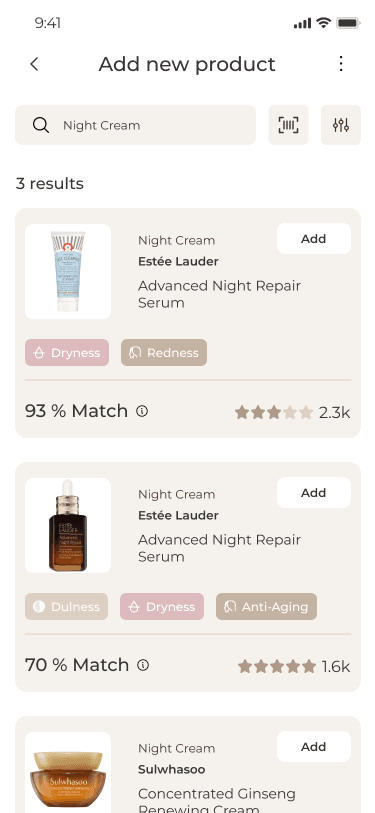
2. Add Product to Routine
3. Routien Updated
4.check the completed rotutines

Flow 3
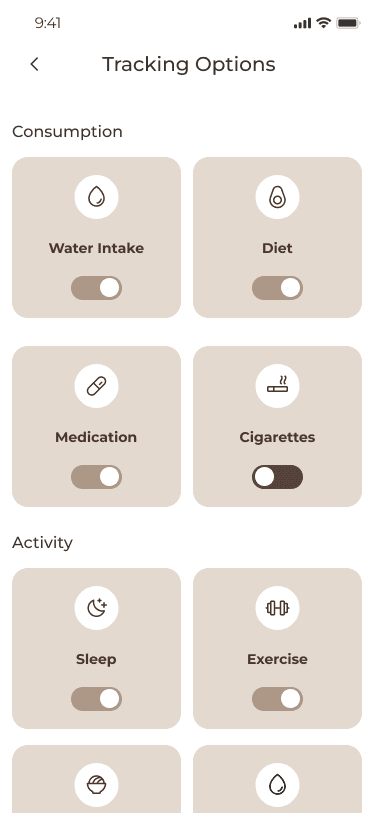
Customize Your Own Lifestyle Widget
1. tracking options
2. add lifestyle sync widget
3. customize settigns
4. save & display
5. review the ai-generated insights
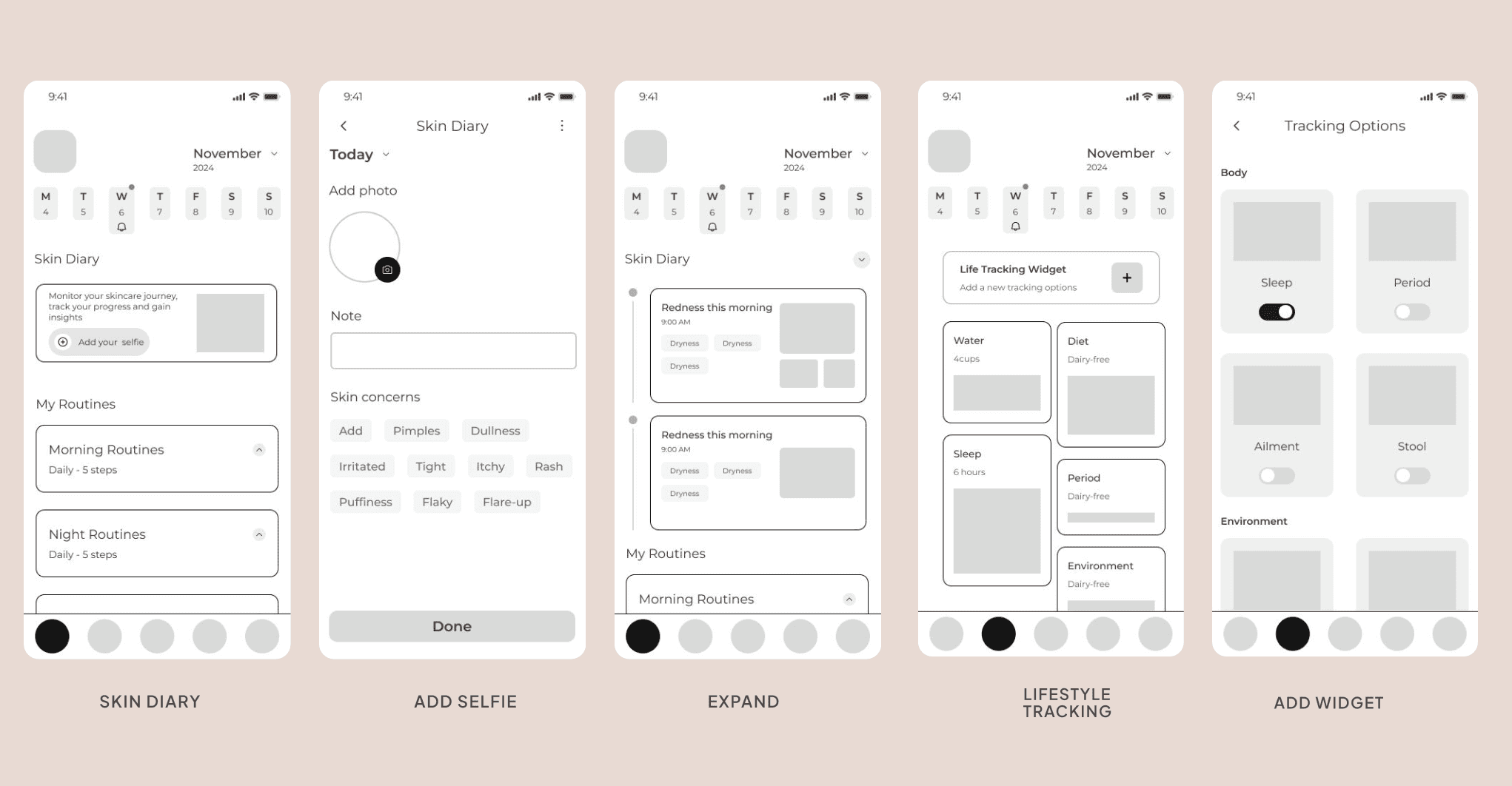
Flow 4
Add Your Own Skin Diary Log
1. access skin diary
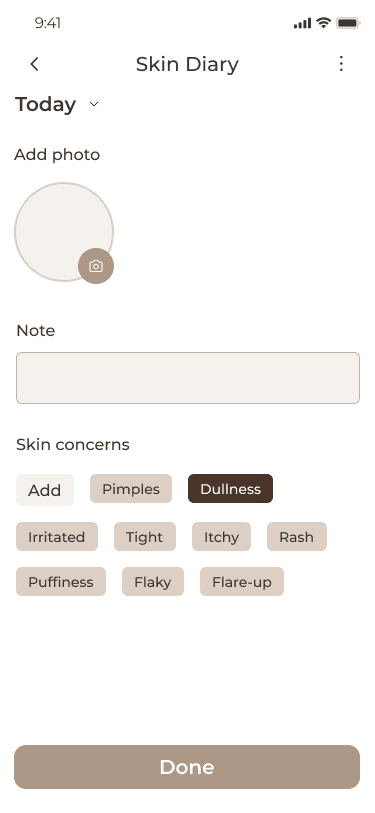
2. add log
3.tag lifestyle factorys
4.save and review
04 Usability Testing
Usability Testing
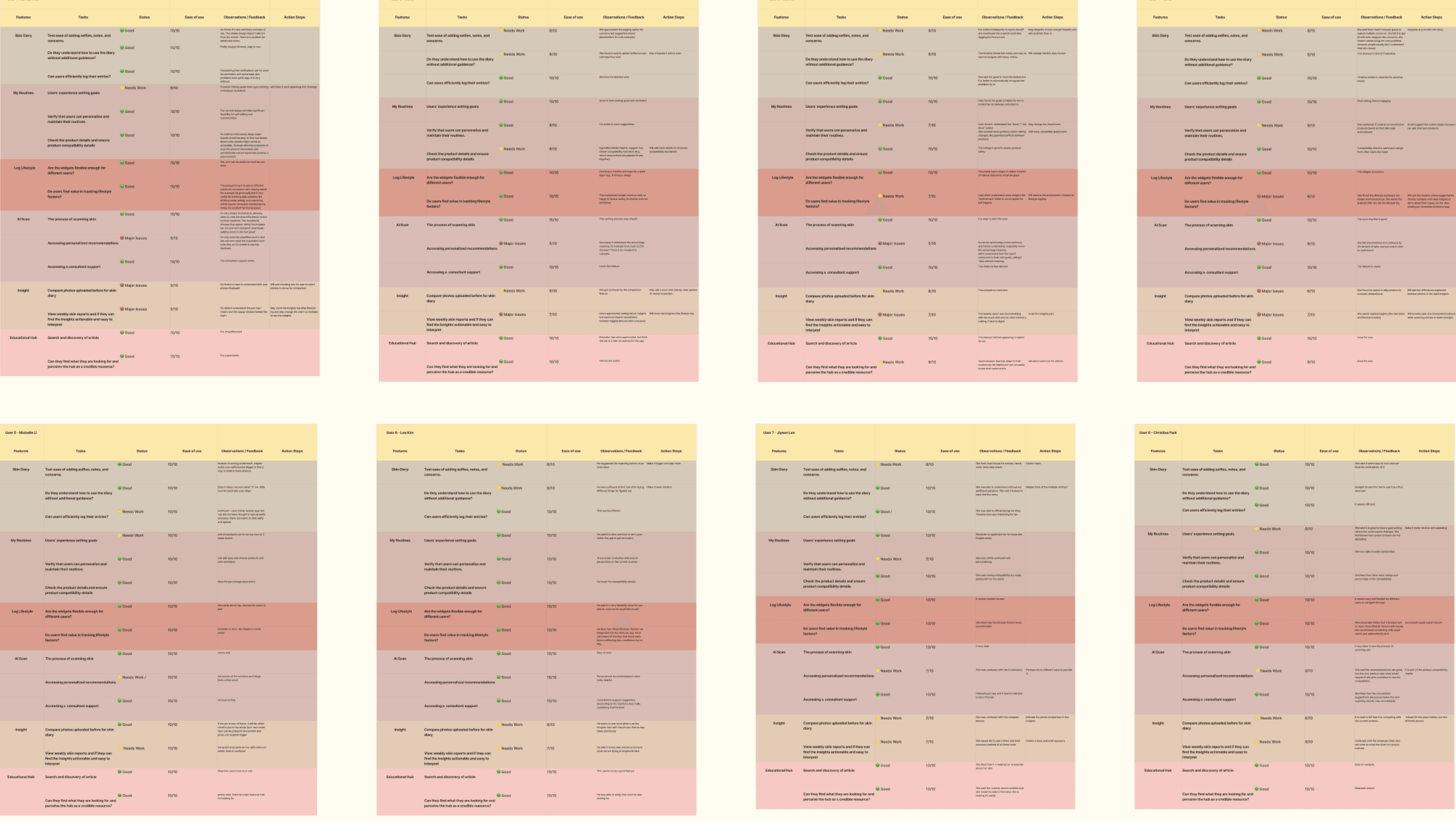
8 in-person and remote moderated usability testing
We conducted usability testing with 8 users to identify key areas for improvement, enhance the user experience, and optimize feature effectiveness. Our findings are presented using stoplight reports to highlight usability strengths, areas for enhancement, and critical issues.
Goals
To assess how intuitively users navigate core tasks and gather actionable feedback to improve the user experience
Scenarios
Participants aimed to enhance their skincare routines and understand how their lifestyle habits impact their skin.
Tasks
1.Perform an AI skin analysis and review recommendations.
2.Add a recommended product to the skincare routine.
3.Log a lifestyle habit and assess its skin impact.
4.Update the skin diary to track progress.
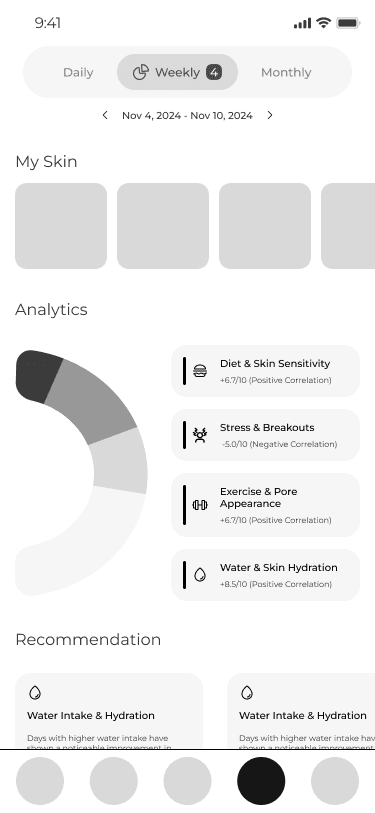
Previous
Issue: Users struggled to see how logged lifestyle factors influence skin insights.
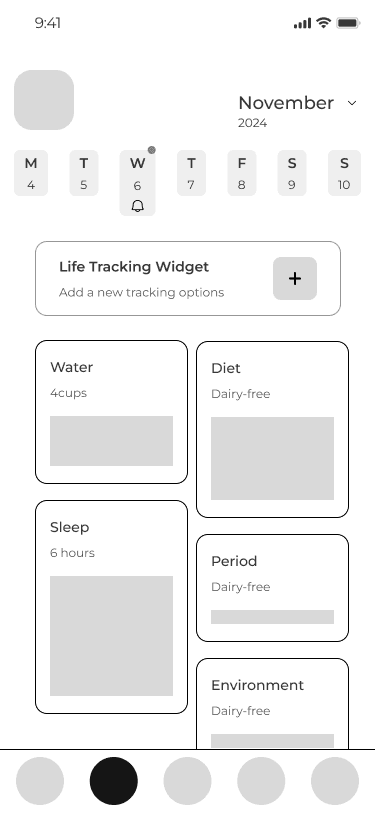
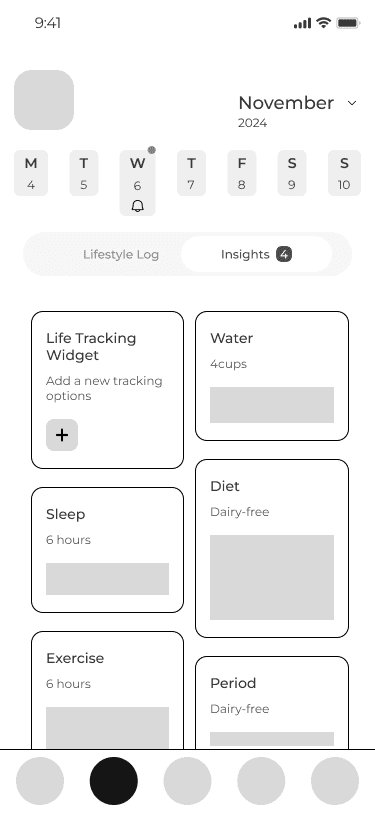
After
Solution: We combined insights and lifestyle logs on a single page
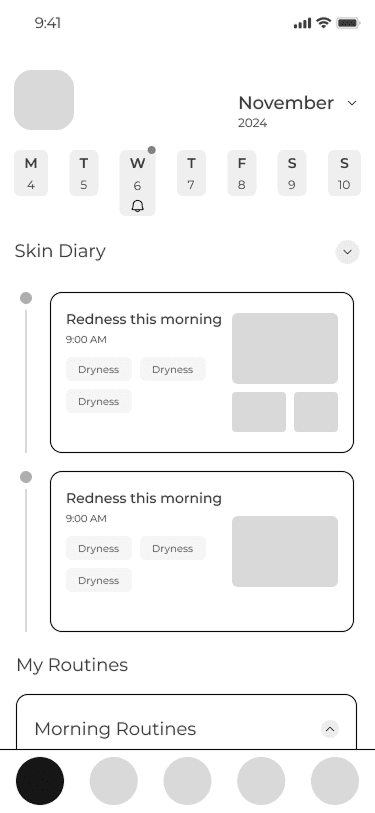
Previous
Issue: Users found the My Skin section on the insights page confusing, particularly distinguishing between their logged skin diary entries and AI scan results.
After
Solutions: The tab now consolidates all images, whether selfies or AI scans, ensuring a streamlined and intuitive experience.
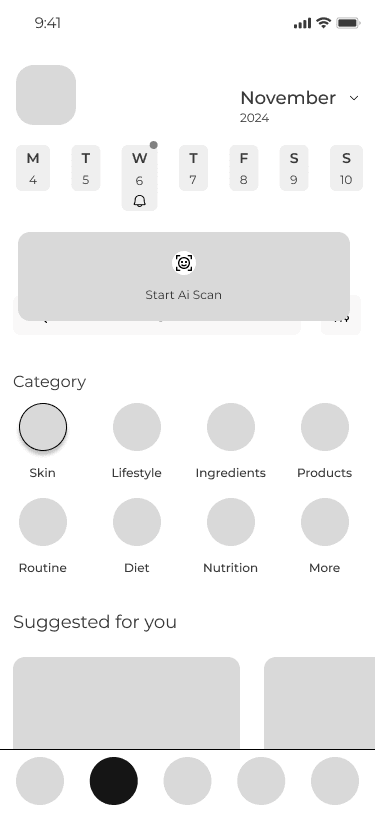
Previous
Issue: Users found the AI Scan feature to be the primary function, but the CTA (Call-to-Action) was not easily accessible. Additionally, the Education page felt redundant.
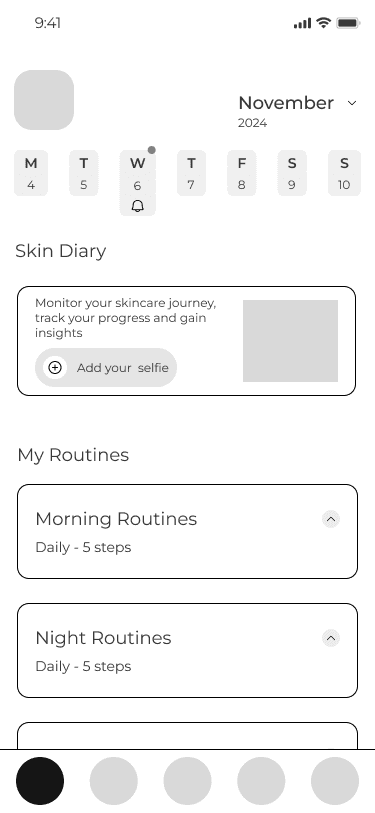
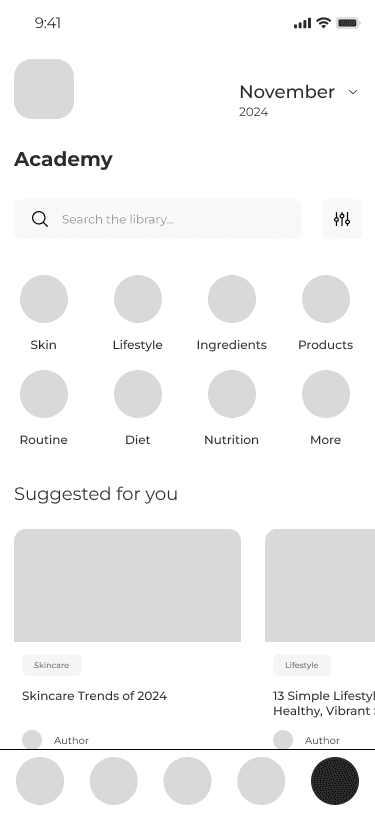
After
Solutions: we moved the AI Scan CTA to the homepage for easier acces, and rearrange the homepage contents
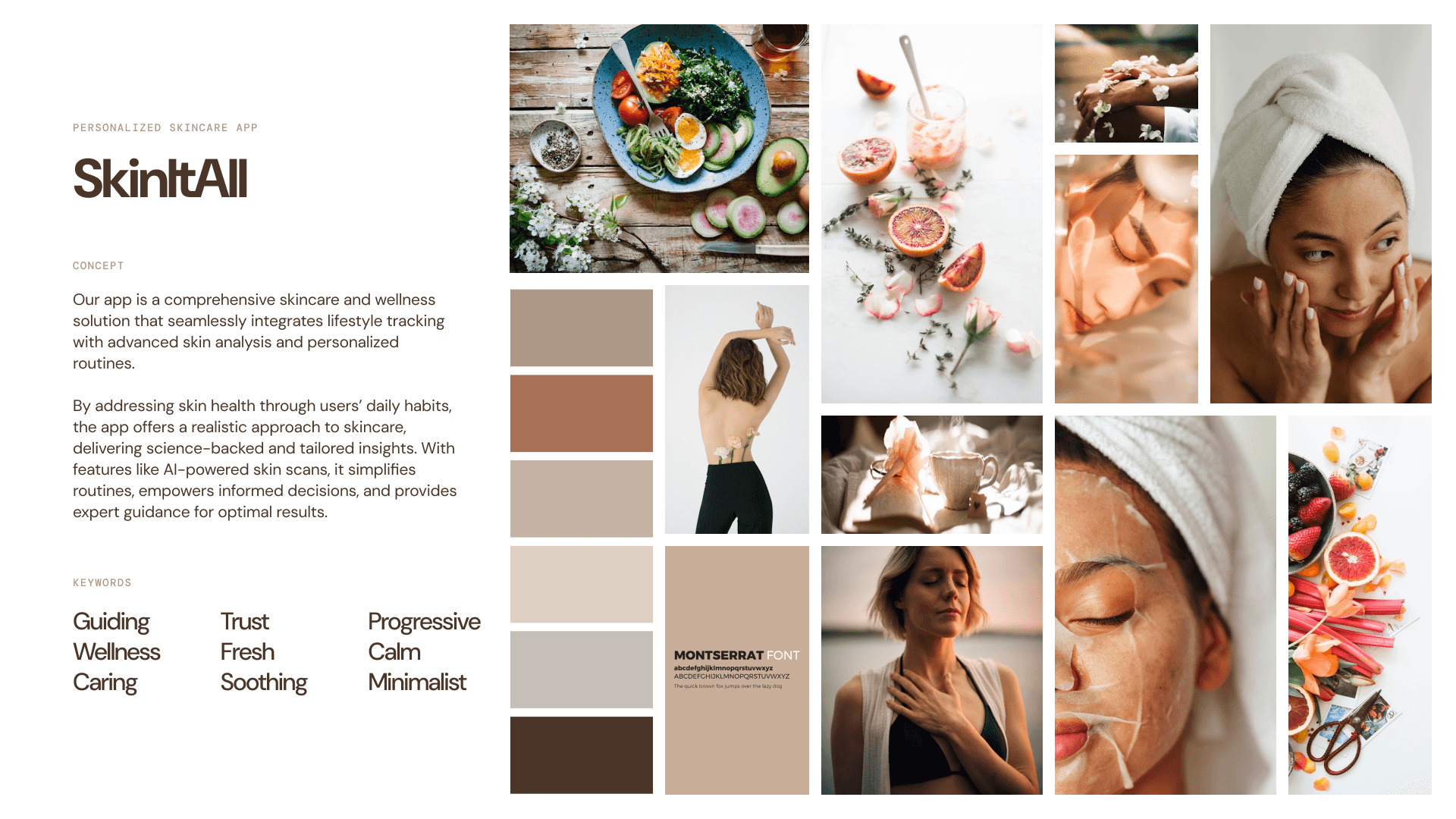
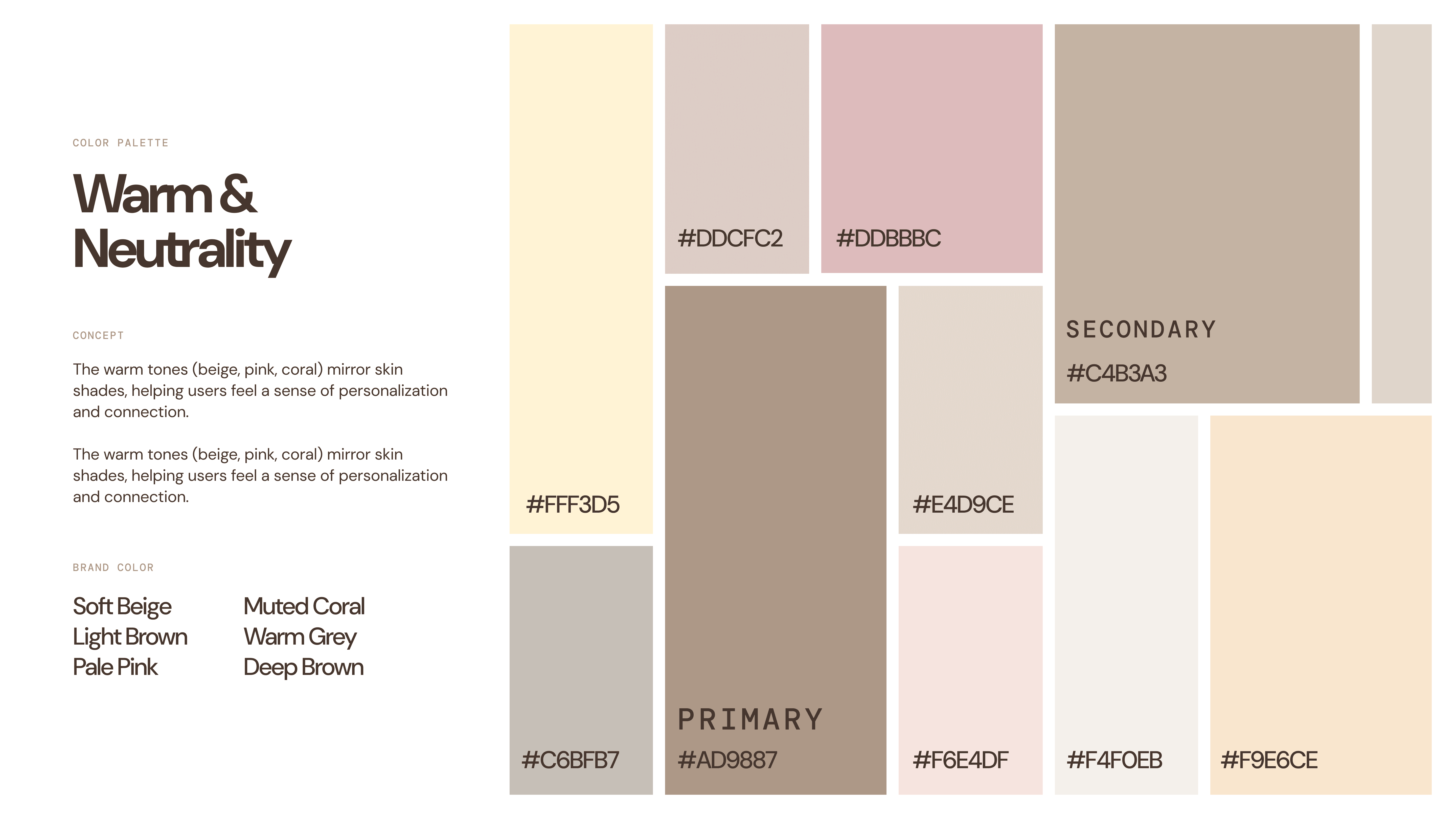
05 Implementation
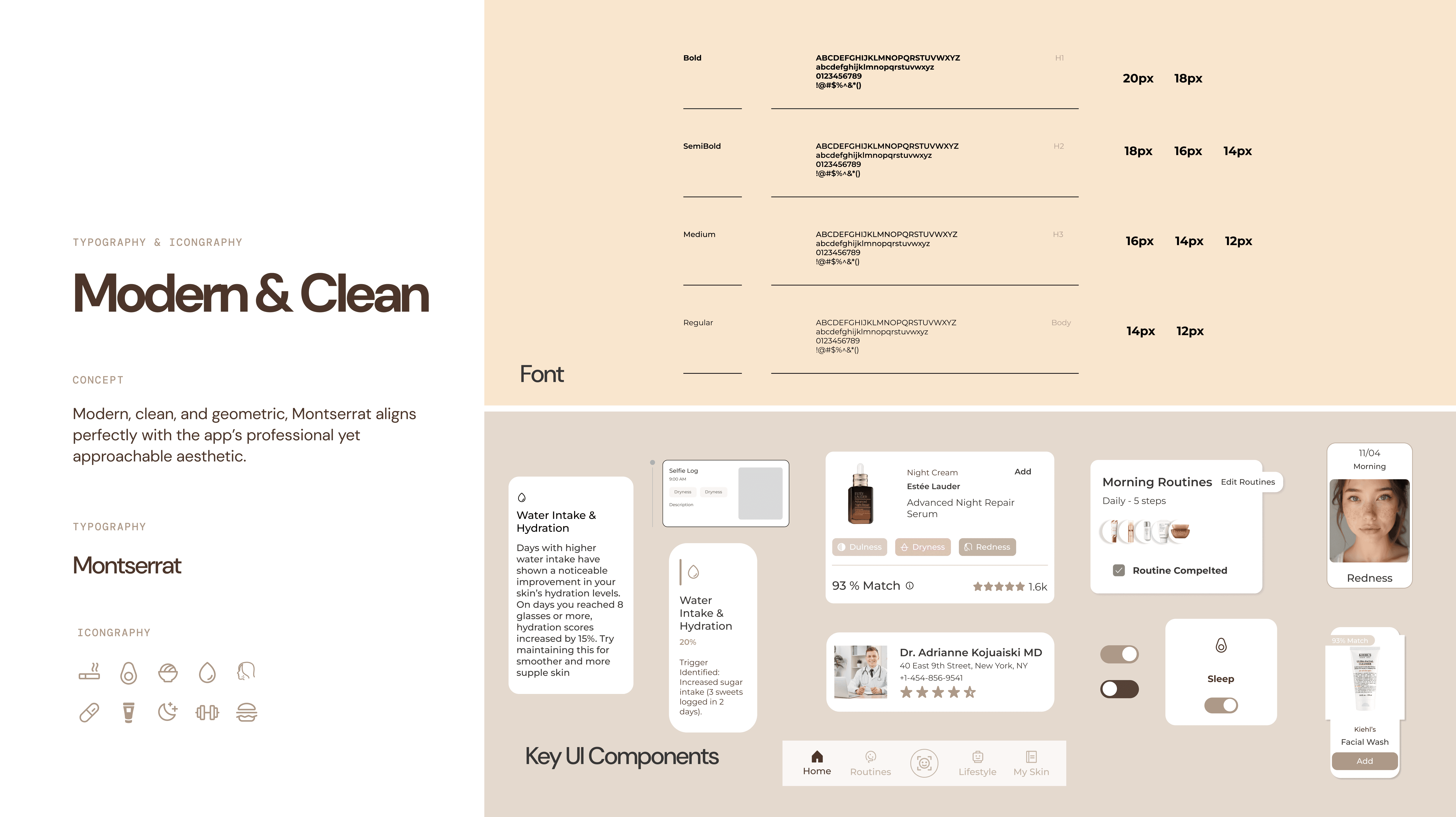
Moodboard, Style Guide, and Final Deliverables
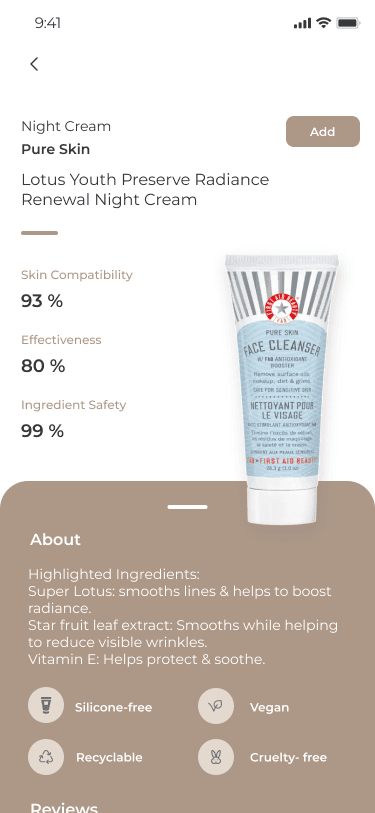
Flow 1: AI Scan and Add Recommended Product to the Routine
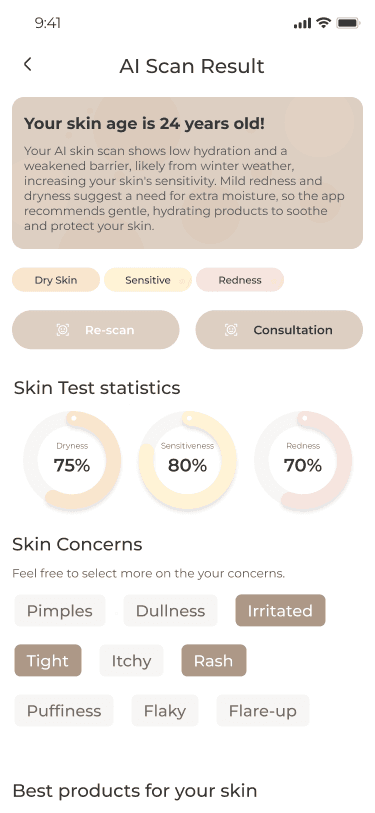
We aims to seamlessly integrate AI-recommended products into the user’s skincare routine. AI-powered personalization that simplifies skincare by providing tailored product recommendations based on real-time skin analysis
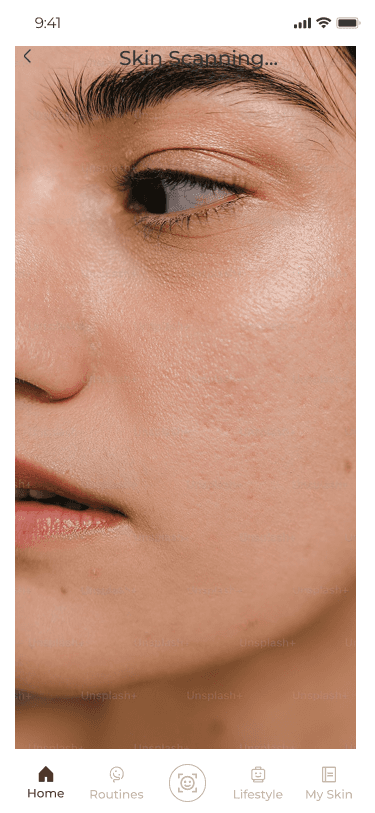
AI Scan – User performs a skin scan using the app.
Results Display – AI analysis identifies skin issues and recommends suitable products.
Add to Routine – User selects a product and adds it to their routine with a single tap.
Routine Update – The product is integrated into the personalized routine.
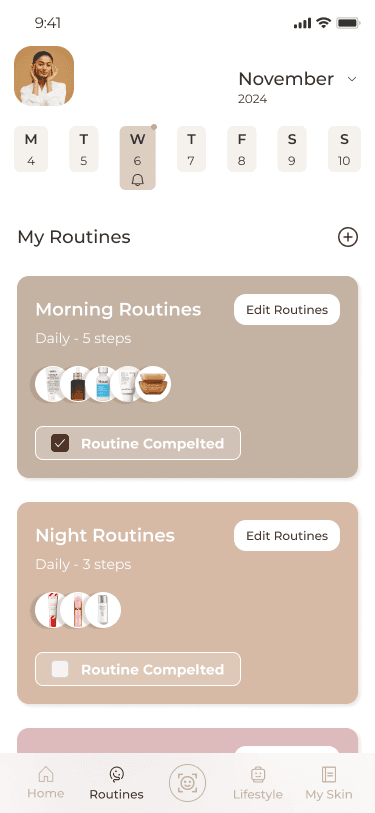
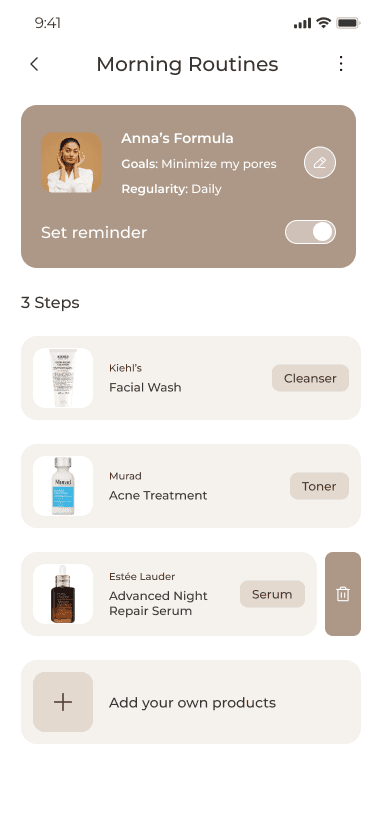
Flow 2: Add Your Own Product to the AI-Generated Routine
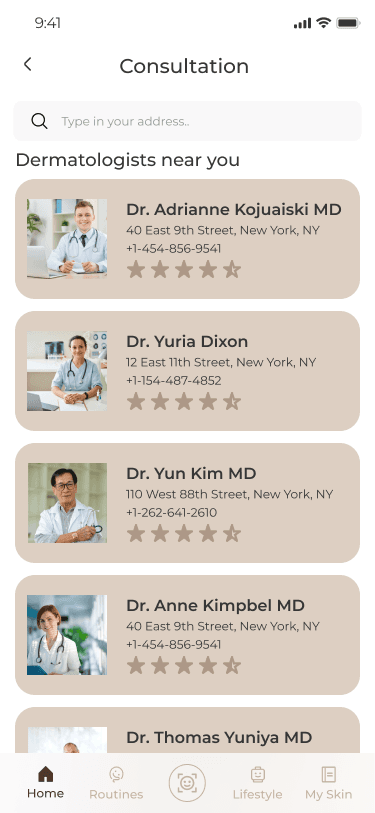
To offer flexibility by allowing users to customize AI-generated routines with their own products. Empowering users to blend AI intelligence with personal preferences for a truly customizable skincare experience
Routine Overview – User accesses their AI-generated routine
Add Product – User manually adds a product by selecting “Add Product” and entering details
Confirm & Save – Product is confirmed and integrated into the routine
Routine Update – The product is integrated into the personalized routine.
Flow 3: Customize Your Own Lifestyle Widget
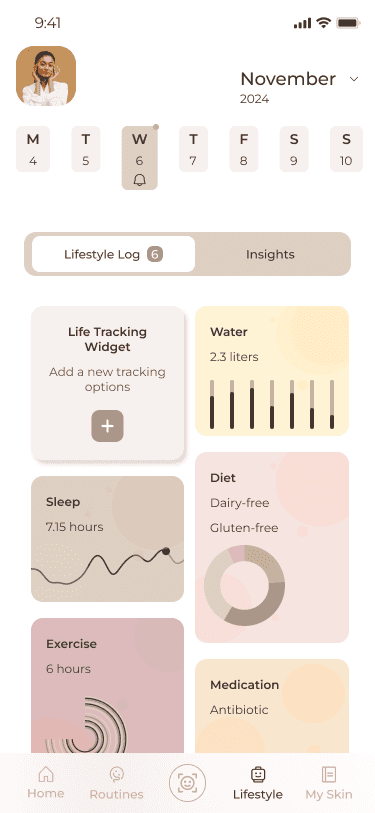
To enable users to track lifestyle factors (diet, sleep, stress) that influence skin health. Connect skincare with lifestyle insights by tracking personalized health factors directly in your app.
Tracking Options – User selects the “Lifestyle Tracking” section
Add Widget – User chooses widgets like hydration, sleep, or diet
Customize Settings – User configures frequency and types of data to track
Save & Display – Widgets are displayed on the home or insights page for quick access
Flow 4: Add Your Own Skin Diary Log
To help users document their skin’s progress and identify triggers over time and capture your skincare journey and discover patterns by logging daily progress and lifestyle influences
Access Skin Diary – User navigates to the diary section
Add Log – User uploads a selfie and logs skin conditions, routines, and feelings
Tag Lifestyle Factors – User tags related lifestyle factors (e.g., stress, hydration)
Save & Review – Entry is saved, and progress is reviewed through insights