
Usability Testing
3 Weeks
Timeline
Medscape
Client
Usability Testing
Project Type
Conner Meek, Michelle Sinofsky
Teammates
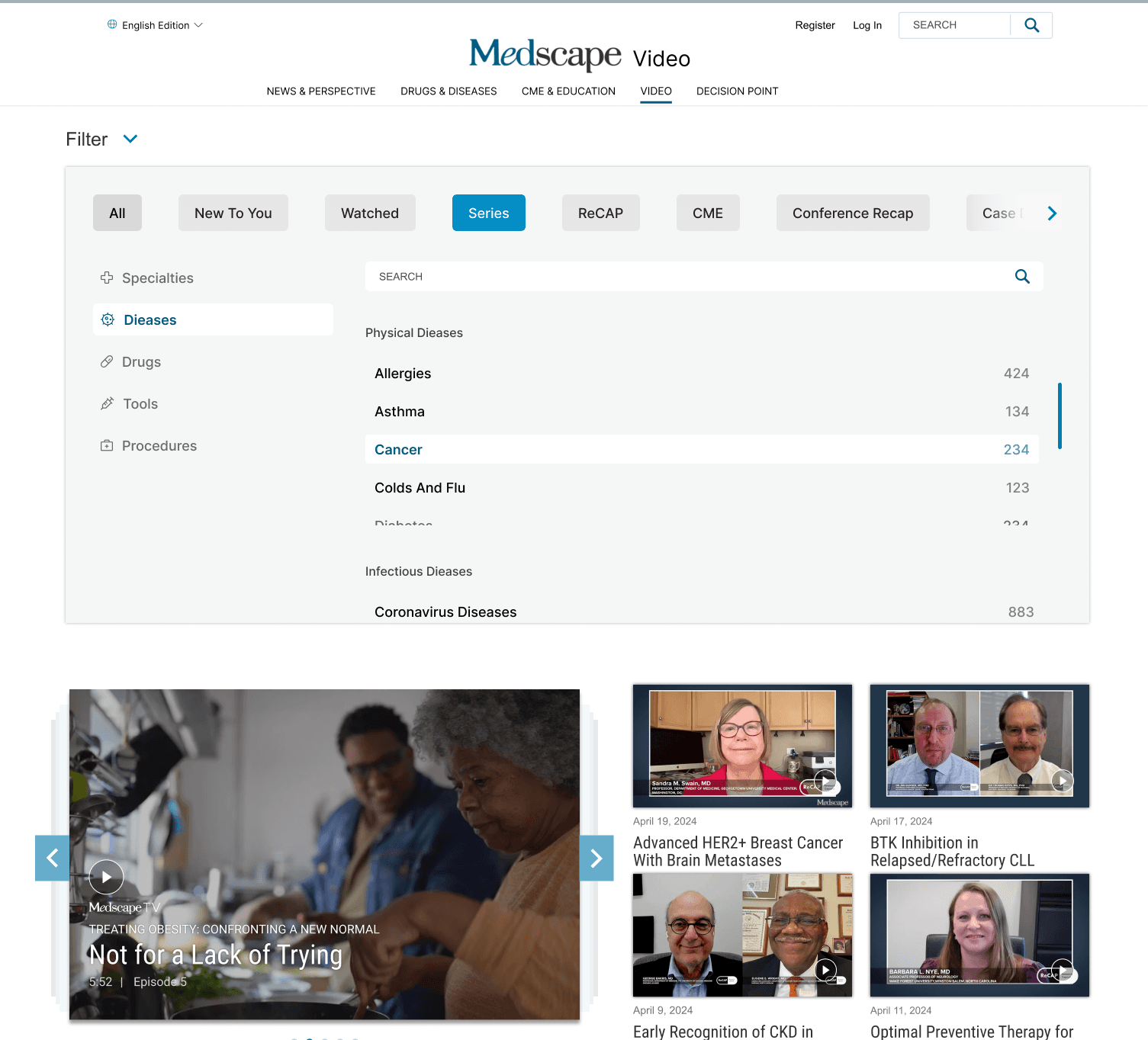
Medscape is a premier online platform providing healthcare professionals with access to medical information, educational resources, and professional development tools. Despite its extensive content offerings, Medscape identified a gap in user engagement with video content distributed via email newsletters.

Problem Statement
The core issue was identified as a disconnect between how video content was presented and accessed through the Medscape platform and the expectations and needs of its users. Users reported difficulties in finding relevant content and navigating the interface, which often led to a decline in engagement.
The study employed moderated, remote usability testing sessions, utilizing Zoom for communication. This approach was chosen to simulate a natural interaction environment, as many healthcare professionals are already familiar with remote tools due to their widespread use in telemedicine and online education.


When we talk about video wathcing on Medscape...



Analysis of Usability Testing
This is why we are the best.
Analysis and Feedback Integration
Following the completion of all testing sessions, the recordings and notes were analyzed to identify common themes, challenges, and points of satisfaction among the participants. Feedback was categorized and prioritized based on its potential impact on user satisfaction and engagement.
Pilot Testing and Refinement
Based on the analysis, several refinements were proposed and implemented in a pilot version of the platform. This updated version was then tested with a select group of initial participants to gauge the effectiveness of the changes.
Process and Implementation
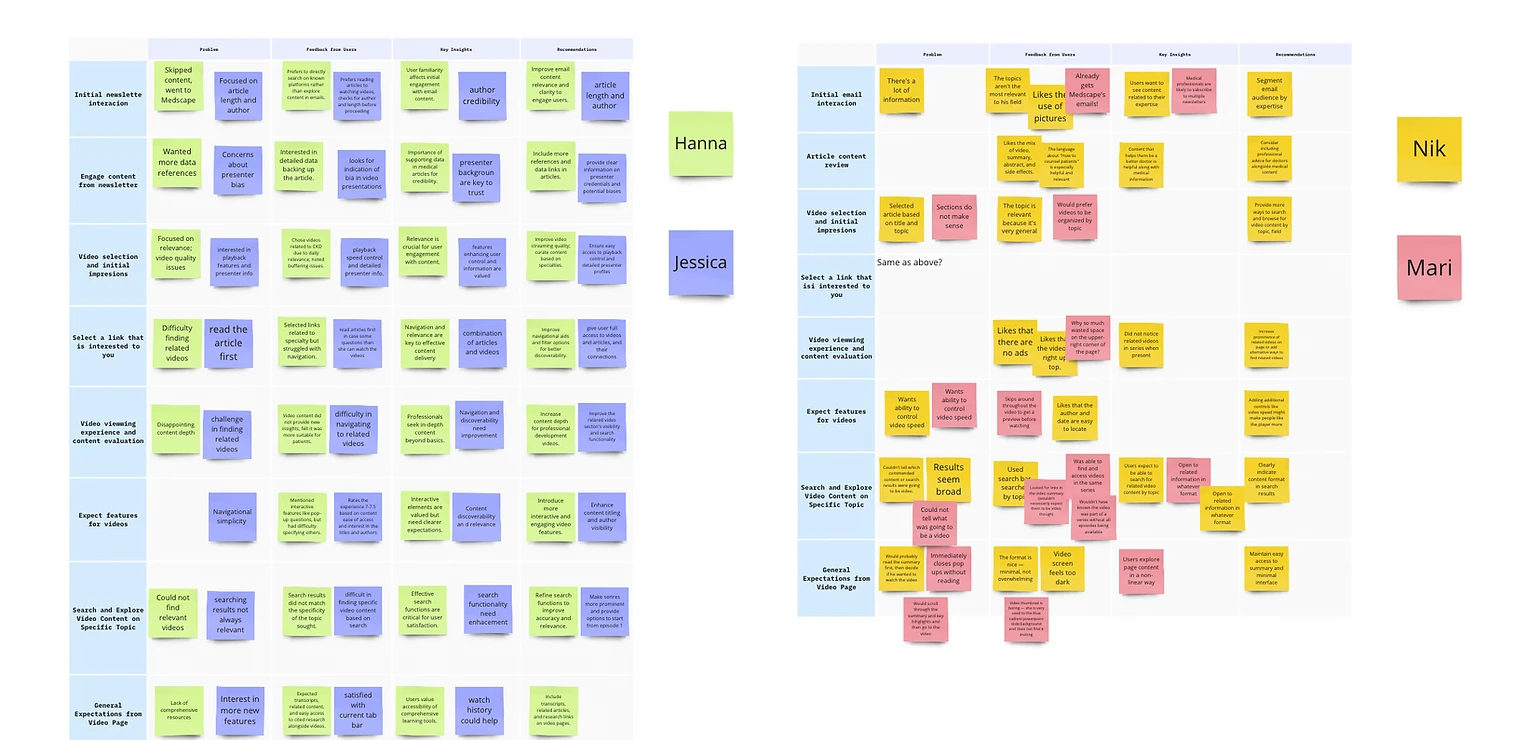
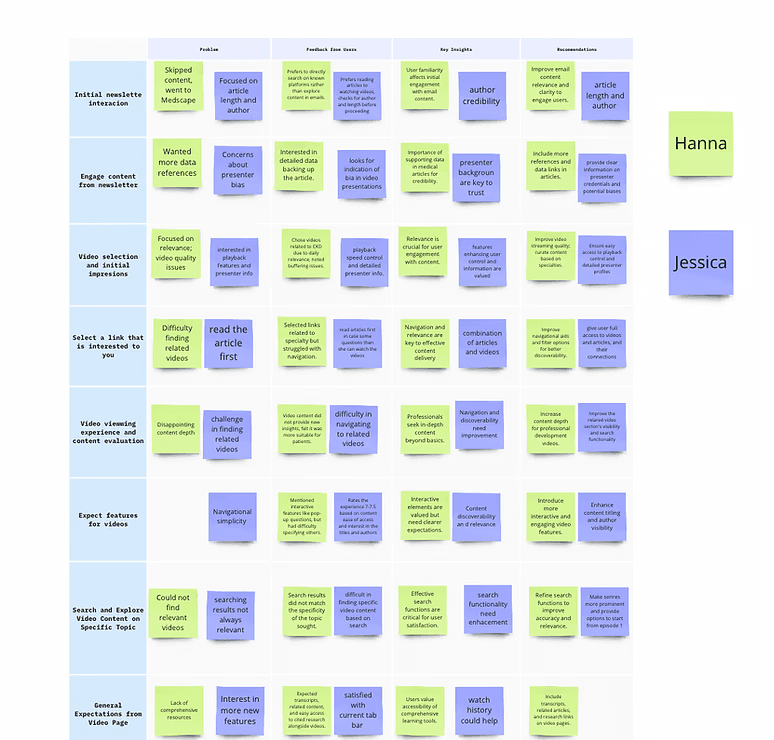
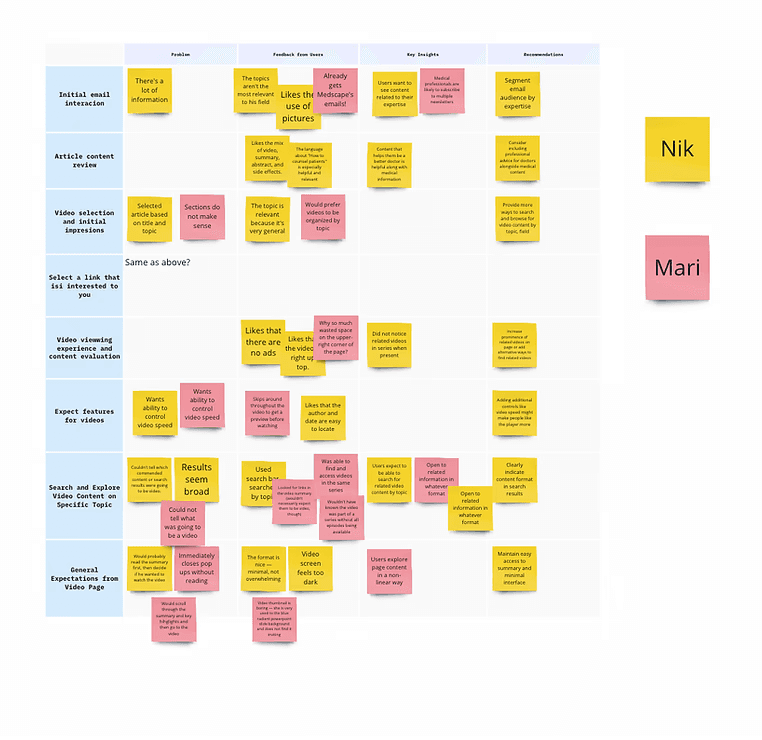
In the analysis phase of the usability study, we utilized affinity mapping to synthesize and interpret the data collected from the user testing sessions. This method was critical for organizing large volumes of qualitative data into coherent, themed clusters that reveal underlying patterns and insights about user interactions with Medscape’s video platform.
The rationale behind using affinity mapping was to visually break down the complexities of user experiences into manageable themes that could inform more effective decision-making. By categorizing data into themes such as "Navigation Challenges," "Content Discovery," and "Engagement Factors," we could more easily identify which areas of the video platform needed refinement. This method is particularly effective in revealing relationships between different aspects of the user experience that might not be immediately apparent through a simple review of notes or recordings.
Our Findings
Find the answers here.


We aim to enhance user engagement and efficiency on Medscape by improving video content features, integrating a dynamic content explorer, refining search functionalities, and implementing intuitive categorical filters.
We aim to enhance user engagement and efficiency on Medscape by improving video content features, integrating a dynamic content explorer, refining search functionalities, and implementing intuitive categorical filters.
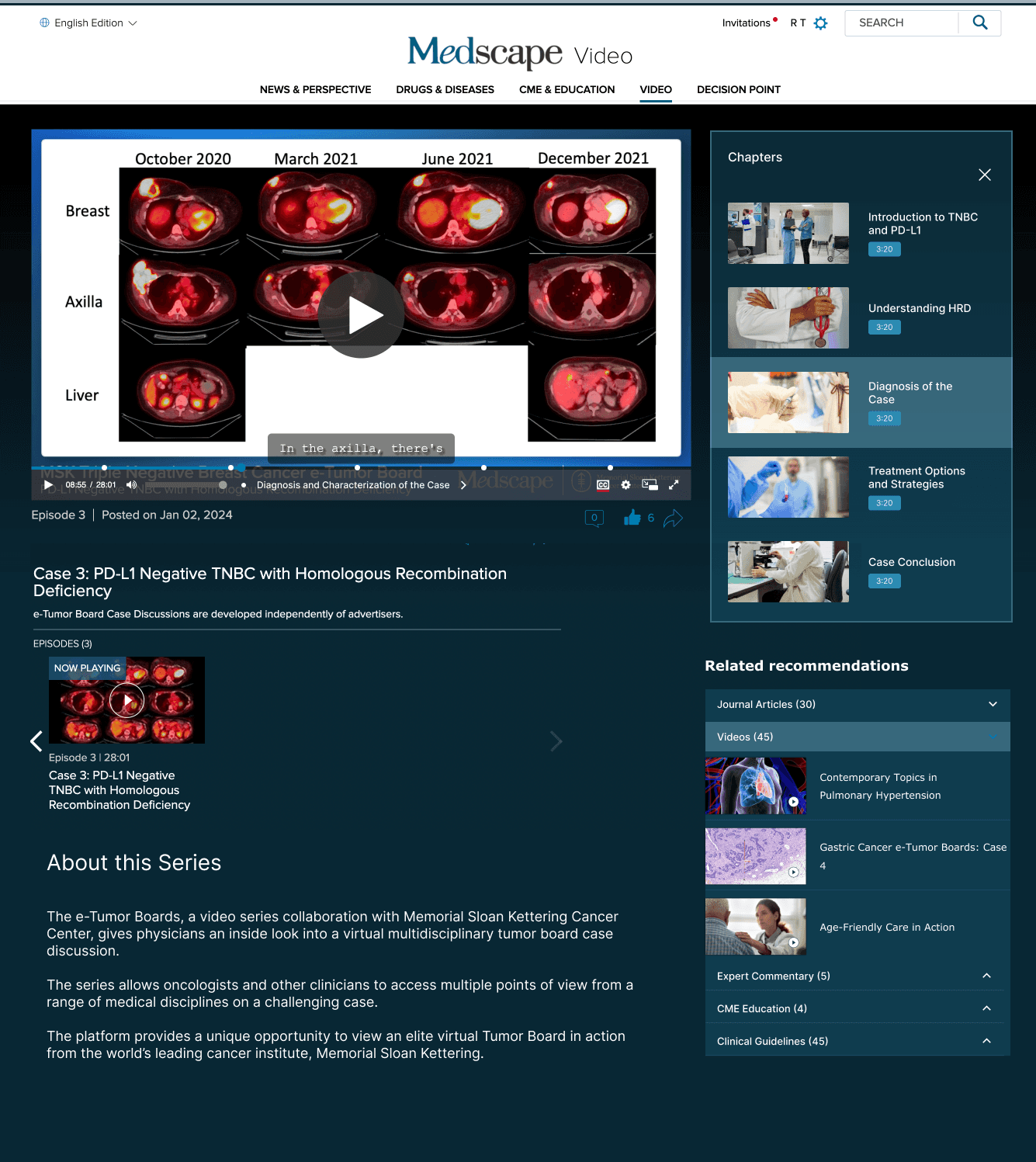
The Integrated Content Explorer is a feature that aims to improve the user experience by providing a seamless, integrated way to access relevant content. This design is centered on providing an educational experience that not only increases comprehension but also engages people and encourages complete research.
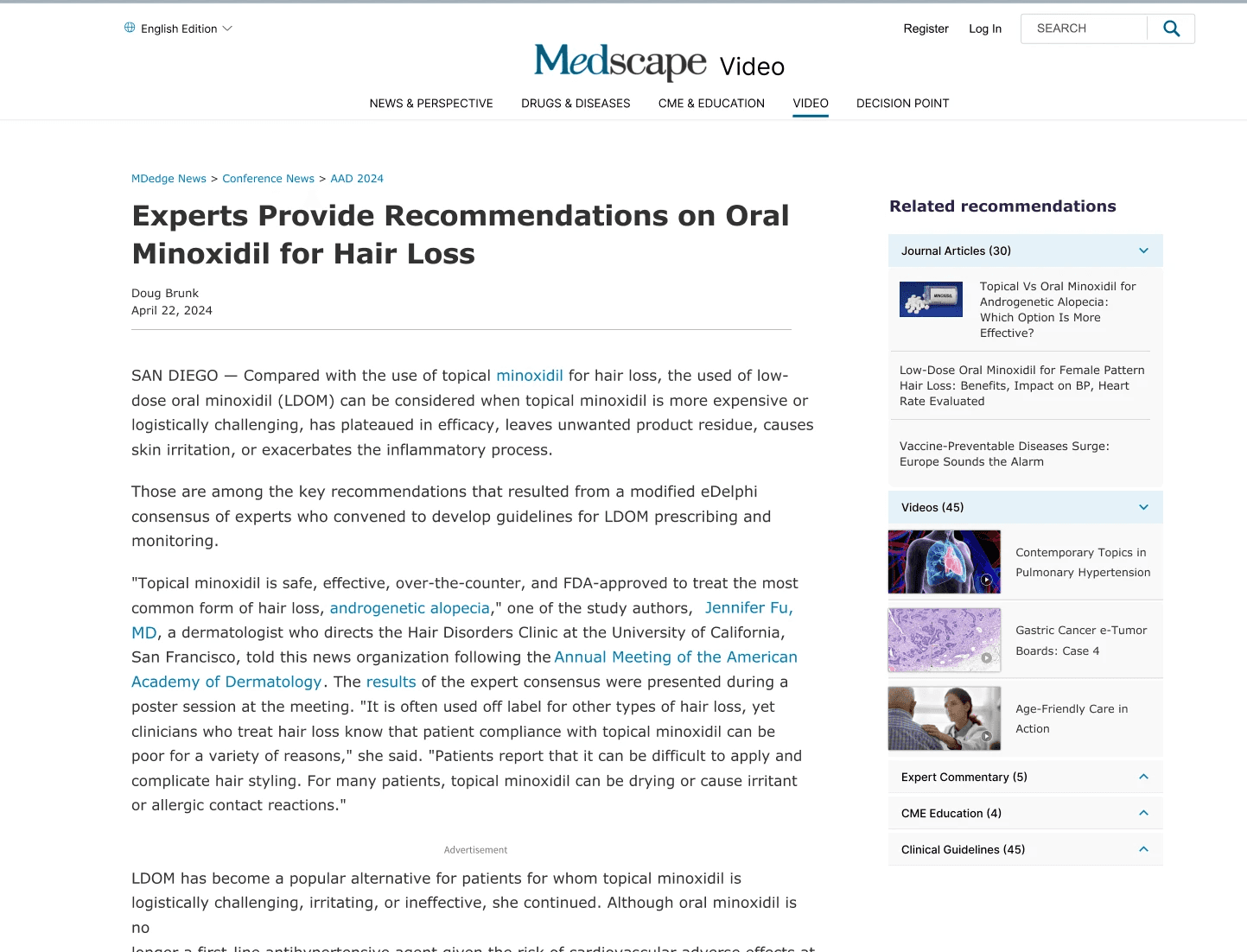
This tool will streamline the search process, making results more relevant and reducing the time spent browsing through broad or unrelated content. Users can quickly narrow their search to the type of content they specifically need, improving search efficiency.
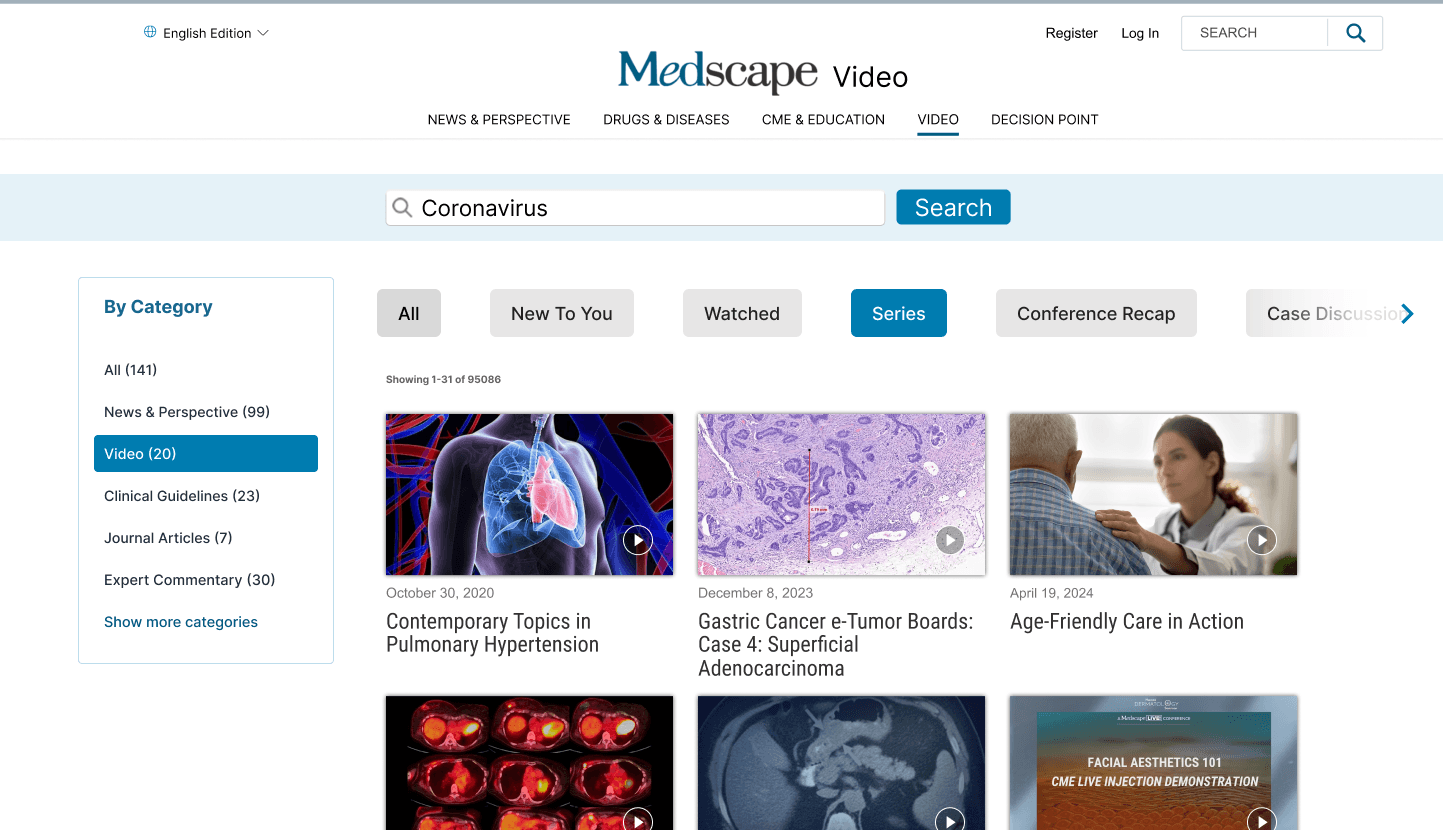
To enhance user satisfaction and efficiency in the video section of Medscape, a detailed redesign plan is proposed. This plan focuses on improved organization, intuitive navigation, and personalized viewing options.